Backup Smartsheet the Right Way with Formulas, Attachments, and All
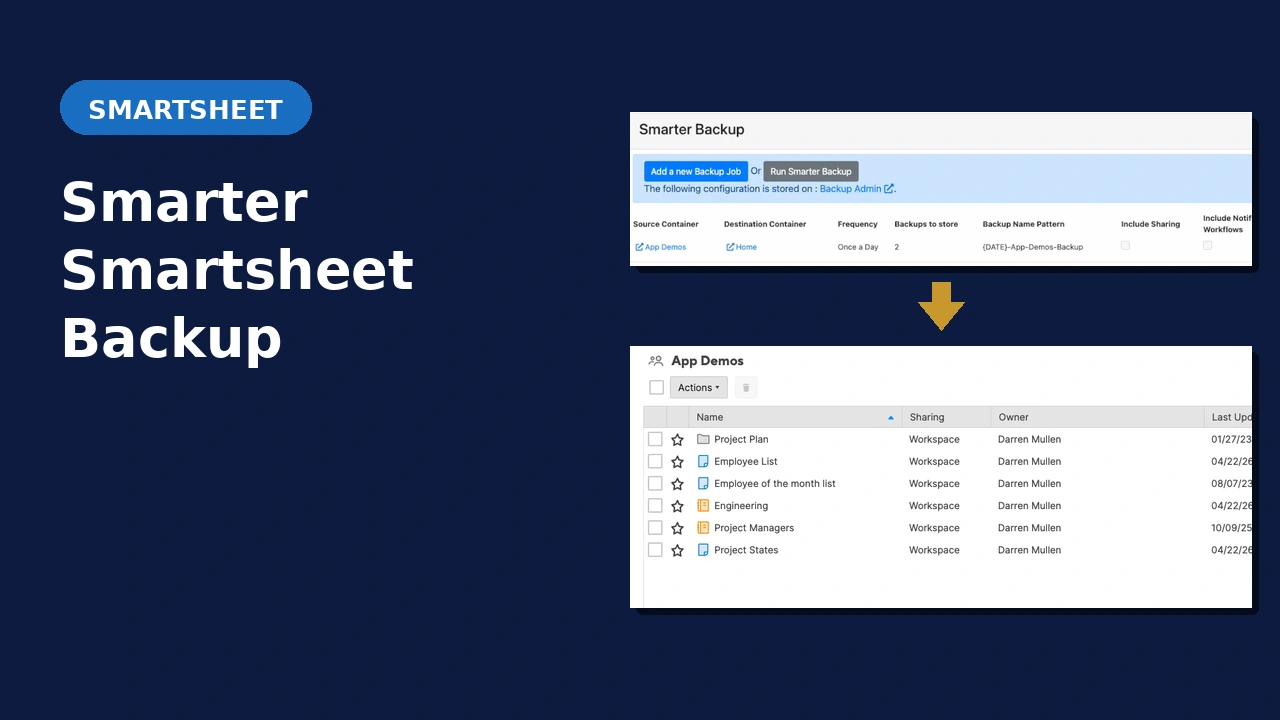
Native Smartsheet backup exports to Excel and drops every formula in the process. This solution backs up your workspaces and folders inside Smartsheet itself while keeping formulas intact and attachment-row associations preserved on a fully automated recurring schedule.
Does Any of This Sound Familiar?
Formulas Lost on Export
You used Smartsheet’s built-in backup to download a zip file, then discovered every formula was gone. The Excel export replaces them with their last calculated values, which is useless for a real restore.
Attachments Detached
You need to restore from a backup but the file attachments are no longer associated with the rows they came from. Reconstructing which file belongs to which row is a manual nightmare.
No Recurring Schedule
Native Smartsheet backup is manual. Someone has to remember to run it. Automated, recurring backup of your workspaces and folders simply isn’t something Smartsheet does out of the box.
Common Questions
What Smartsheet plan is required?
Business or Enterprise. The Backup Tool uses the Smartsheet API, which requires API token generation. The Pro plan does not support API tokens.
I have Smartsheet Control Center. Is this still useful?
Yes. This solution can back up all of your key Control Center sheets, plus any workspaces and folders created by Control Center. It works across your entire Smartsheet environment.
Where does the backup actually live?
Inside your Smartsheet environment. Backups are created as copies of your assets within Smartsheet, not simply exported to Excel or a zip file. That’s what allows formulas and attachment associations to be preserved.
How does implementation work?
Book a free 30-minute consult. We’ll review your environment and confirm whether this solution fits. From there you provide the required account details and the add-on is configured for you.
See It in Action
Ready to Stop Gambling With Your Smartsheet Data?
Book a free 30-minute consult. We’ll review your Smartsheet environment, confirm this solution fits, and walk through what implementation looks like.