Copy Only the Columns You Need to Another Sheet
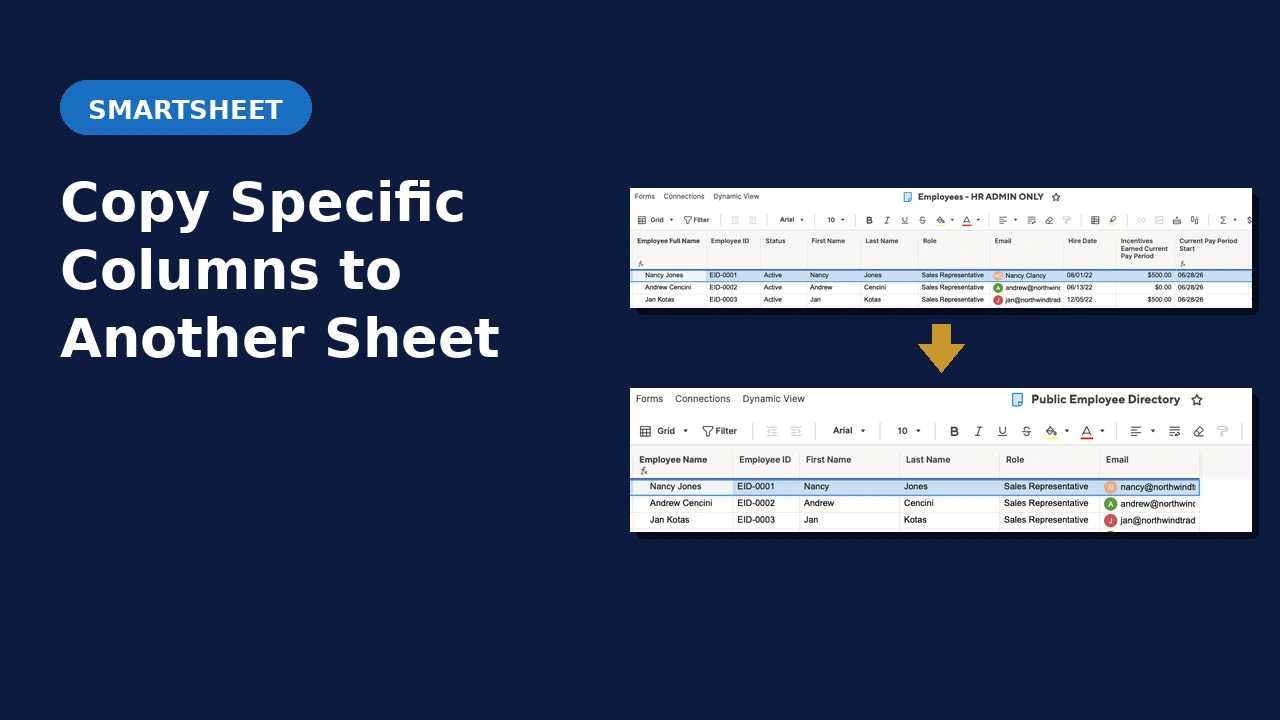
Smartsheet’s native row copy brings every column along for the ride whether you want them or not. The smarter row copy solution gives you full control over which columns copy during an automation exactly as you specify.
The Problem With Smartsheet’s Native Row Copy Automation
When you copy a row from one Smartsheet to another, manually or with automation, every column comes with it. That’s fine unless your source sheet has 40 columns (or hundreds!) and your destination sheet only needs 8 of them.
Column Mismatch
Your source and destination sheets have different column structures. Native row copy dumps all the source columns into the destination, creating a mess of unmatched columns that someone has to clean up manually.
Sensitive Columns Exposed
Your source sheet has internal columns such as costs, margins, or notes that should never appear in the destination sheet. Native row copy doesn’t let you exclude them, but Smarter Row Copy does!
Manual Cleanup Every Time
Even with automations set up, someone is still deleting unwanted columns from copied rows after the fact. That’s an unscalable manual step that introduces errors.
Common Questions
What Smartsheet plan is required?
Business or Enterprise. The solution uses the Smartsheet API, which requires API token generation. The Pro plan does not support API tokens.
Can I map columns with different names between sheets?
Yes. The solution maps source columns to destination columns by configuration, so even if the column names differ between sheets the data lands in the right place.
Does this work with Smartsheet automations?
Yes. The solution is triggered by a condition on your source sheet, such as a status change. Smarter Row Copy runs automatically from there with no manual intervention required once it is configured.
How does implementation work?
Book a free 30-minute consult. We’ll review your setup, confirm this solution fits, and walk through configuration. From there you provide the required account details and the add-on is set up for you.
See It in Action
Ready to Stop Copying Columns You Don’t Need?
Book a free 30-minute consult. We’ll review your sheet setup, confirm this solution fits, and walk through what implementation looks like for your environment.