
Power Automate Toolkit for Smartsheet
A toolkit for Power Automate to enhance your Smartsheet solutions. Includes an evolving custom connector built specifically for Smartsheet, plus ready-to-use sample flows. Pull data, update rows, and move attachments in and out of Smartsheet without fighting the native connector’s limits.
As a kicker you get access to the official support forum, feature request submission, and quarterly office hours.
Why the Native Power Automate Connector for Smartsheet Falls Short
Smartsheet’s own connector for Power Automate is limited. Anyone who has tried to build a real workflow around it runs into the same limits.
Attachments can’t be uploaded
With the toolkit’s custom connector you can easily update attachments to Smartsheet rows. And it doesn’t just support uploading attachments, but also getting attachments from rows with a simplified action.
Simple actions require complex HTTP calls
Want to get data from a Smartsheet report? You need to use a HTTP action and handle the API call. Then you need to feed the correct schema in a parse JSON action. The toolkit connector includes a Get Report action to handle the hard stuff for you.
You’re rebuilding the same logic
Row location, sheet lookups, and report filtering all take repetitive, multi-action workarounds that a purpose-built connector handles in one step. Not to mention, the purpose-built connector handles your API token in 1 place, not in every action!
What’s Included
This isn’t a one-time download. It’s an active subscription, and here’s exactly what that gets you.
- The custom Smartsheet connector for Power Automate (Central API-key auth)
- Ready-to-use sample flows built on the connector
- New actions continually added
- Subscribers help drive what gets built next. Need an action? Request it!
- Access to the official support forum
- Quarterly office hours session to answer questions and show new functionality. (recorded if you can’t attend)
These are the current 7 actions, and counting.
- Get Sheet (Advanced)
- Get Report
- Get Row
- Insert Rows (Advanced)
- Update Rows
- Attach File to Row
- Get Attachment
See It in Action
After importing the connector, it’s easy to create one connection to be used in all your flows.
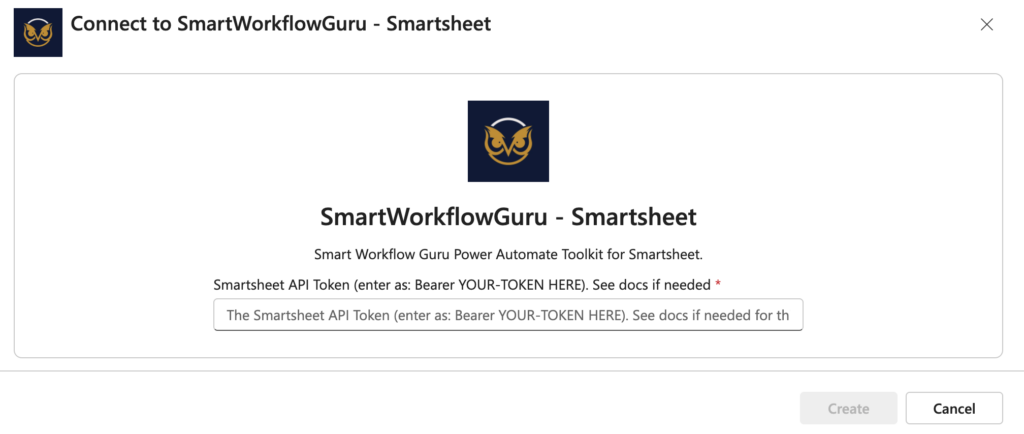
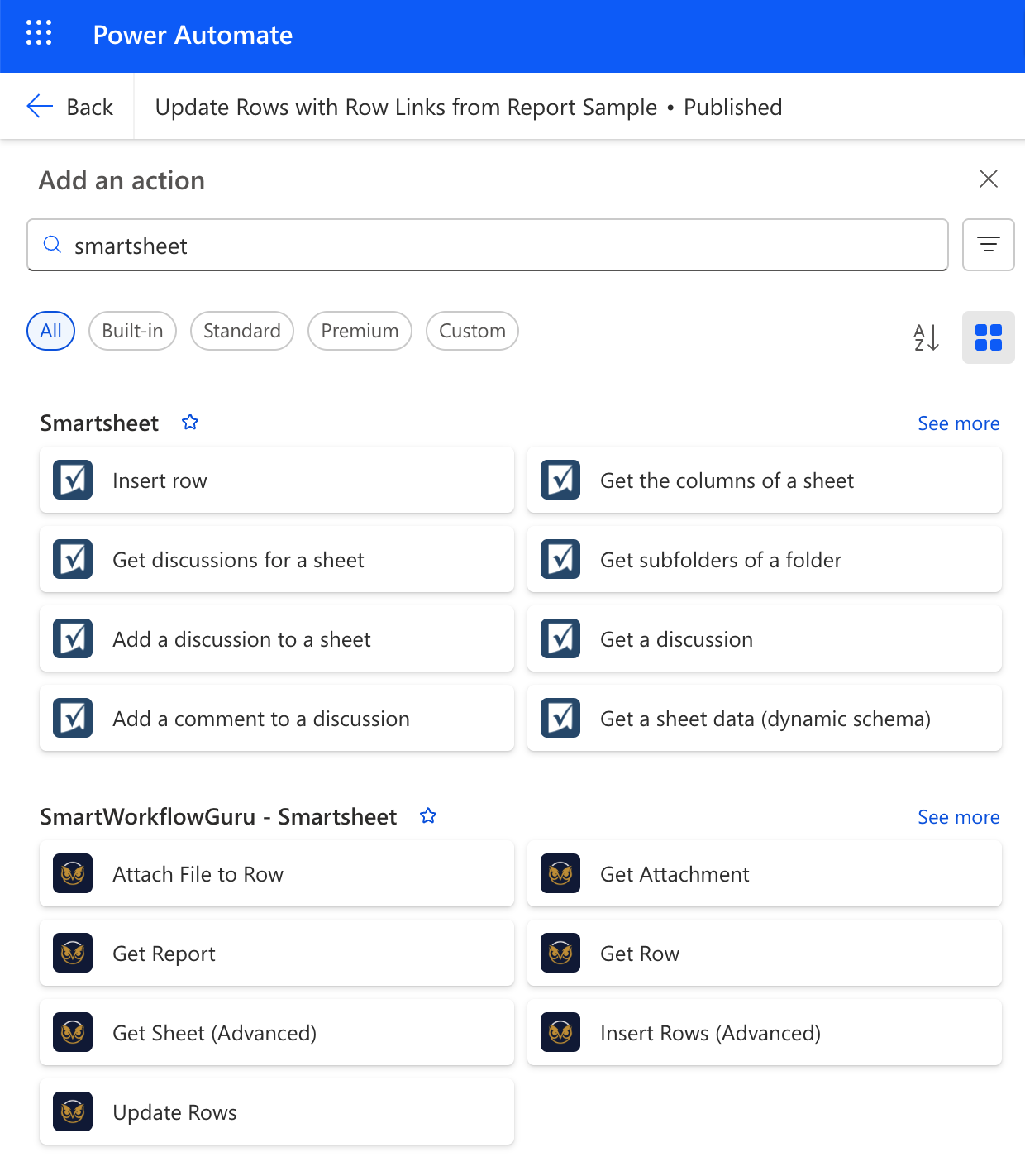
Then, the actions show up alongside the existing native Smartsheet actions, and even complement them.
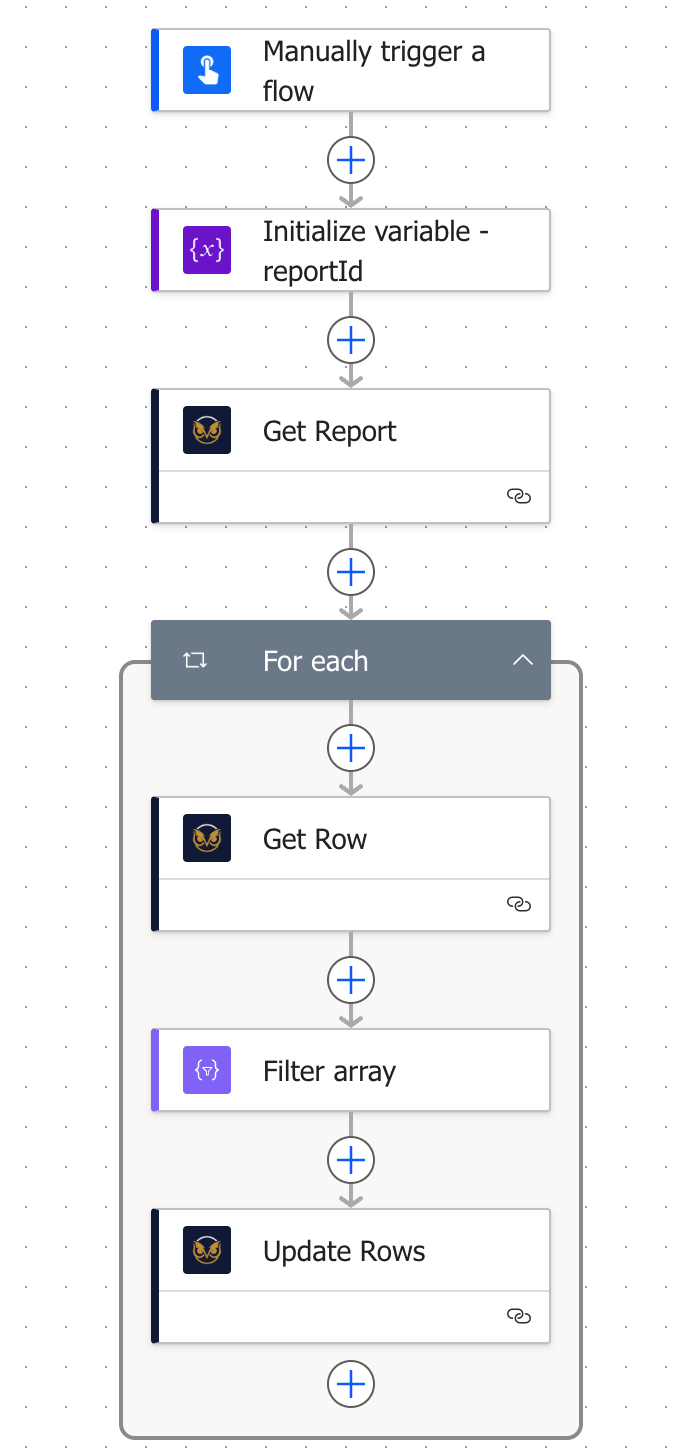
The screenshot below shows an example of some of the toolkit’s actions used in a sample flow, which you also get to download.
Screenshots are static, so here’s a quick demo video.
Everything you just saw imports into YOUR Power Automate environment
Flexible Pricing
Monthly
$49 / month
- Custom connector + sample flows
- Continual addition of new actions and templates
- Subscriber feature requests
- Official support forum
- Quarterly office hours
Best Value
Annual
$499 / year
Save $89 vs. monthly
- Custom connector + sample flows
- Continual addition of new actions and templates
- Subscriber feature requests
- Official support forum
- Quarterly office hours
Already an Smartsheet Guru Elite member? This toolkit is included with your membership.
Common Questions
What Smartsheet plan is required?
Business or Enterprise. The connector uses the Smartsheet API, which requires API token generation. The Pro plan does not support API tokens.
What Power Automate plan is required?
A premium license is required to use the custom connector. If you don’t have one currently, they are inexpensive, and usually you are offered a generous trial to get started.
Why not use the standard HTTP actions in Power Automate?
Those actions work ok, but every time you want to replicate a simple action like “Get Report” you need to use another HTTP action and input the same endpoint, authorization headers etc. With the toolkit’s custom connect actions, you create 1 connection with your API token and reuse the actions in all of your flows. This also keeps your API token more secure than sticking it in a flow action or environment variable as plain text.
How does implementation work?
Once you subscribe, you will get access to the connector, setup instructions, and the sample flows.
Do you show me how to use the custom connector?
Yes. All of the usage docs are available here and are publicly available (no login required) so you can get acquainted prior to subscribing.
Is this included in Smartsheet Guru Elite?
Yes. The toolkit is included at no extra cost with an active Elite membership. This page is for anyone who wants the toolkit on its own, without the rest of Elite.
What happens if I cancel my subscription?
You keep the connector version you had at the time you cancel, locked as-is. You will not receive new actions, and you will lose access to the support forum and workshop, since those are tied to an active subscription.
Meet the Creator of the Power Automate Toolkit for Smartsheet

Darren Mullen
Consultant & Instructor
Darren is the founder of Smart Workflow Guru and is ready to guide you on your journey to becoming an expert. He is known for his Smartsheet and Appsheet consulting work under his company brand, Smartsheet Guru. Also under this banner he built a successful group Smartsheet coaching program known as the Smartsheet Guru Elite. Furthermore, he provides, and enjoys, coaching Smartsheet users both in the group setting and one on one.
His love for teaching shows through on his YouTube channel and with his publishing of 2 books on Smartsheet, Smartsheet User Guide for Accelerated Learning and Smartsheet Architecture Solutions. Both of which achieved the coveted orange bestsellers badge on Amazon.
When he’s not busy consulting, creating content or courses, he enjoys spending time with his growing family in the Southern Arizona desert.
Stop Building Custom Actions Flow by Flow
Lock in founding member pricing while spots remain.